
Klopfgeist
Listen to a paper. Review it out loud.
Klopfgeist reads a paper to you like an audiobook. When something strikes you, say “stop”, speak your comment and say “continue”. The app writes the comment down, attaches it to the sentence you were hearing, and turns all of them into a review draft.
A Klopfgeist is a knocking spirit: you hear it, and you do not see it. More about the name
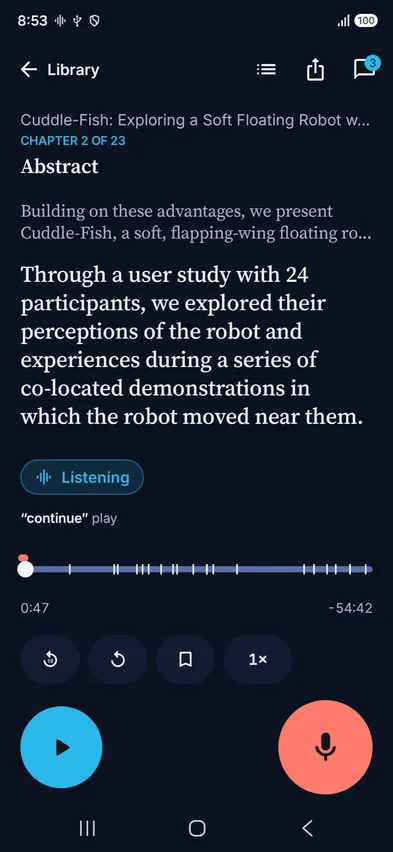
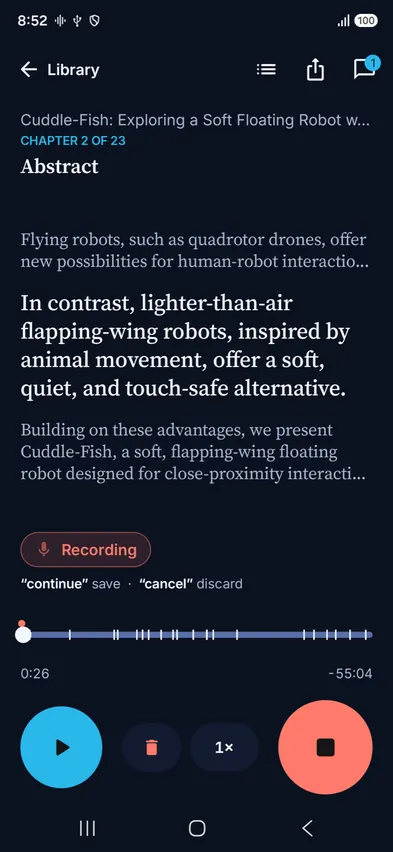
The paper plays. You say “stop” over it, and the app pauses and starts recording.
Say what you think, as long as you like. Begin with “weakness” or “question” to sort the comment.
The comment is saved with its transcript. The book picks up a moment before you stopped it.
What it does
Any paper becomes an audiobook
Open a PDF, Markdown, RTF or text file. Klopfgeist drops page headers, author blocks and reference lists, and reads the rest with a voice on your device.
Hands and eyes free
Review on a walk, on the train or while cooking. Every control has a voice command, and headset or steering-wheel buttons work too.
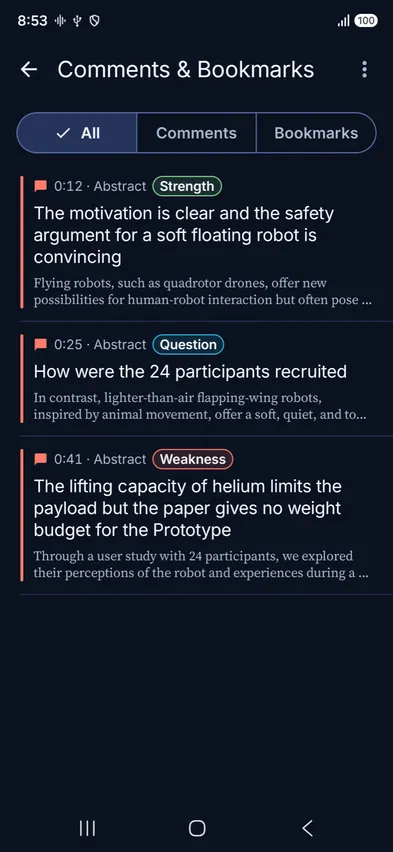
Comments land on the sentence
Each comment is transcribed and attached to the sentence that was playing. The app moves the anchor back a moment, since people react a little late.
A review draft from your notes
Begin a comment with “strength”, “weakness”, “question”, “summary” or “minor”. The export sorts your comments under those headings.
Three ways out
Export the text with your comments after each sentence, the review draft, or the PDF with a highlight and a note on every sentence you commented on.
Your voice stays on the device
Commands and comments are recognized on your phone or computer. There is no account. Sync is optional and uses your own Nextcloud or WebDAV folder.
Every voice command
Say a command on its own, at a normal volume, with a short pause before and after. English and German commands are separate: pick the language in Settings. Each row lists every phrase the app accepts.
Words that sort a comment
Say one of these as the first word of a comment. The word is removed from the transcript, and the comment goes under that heading in the review draft.
Without a word
The buttons on a headset, in a car or on the lock screen do the same job.
When a command is not heard
- Leave a short pause before and after the word. “We should continue with this” is a sentence, and the app treats it as one.
- Over the phone’s speaker, “stop” has to stand out from the book. Headphones make this easier.
- Settings › Diagnostics shows what the app heard and why it ignored a word.
Get Klopfgeist
iPhone, iPad and Mac
TestFlight beta
iOS 26 or macOS 26 (Apple silicon). Install Apple’s TestFlight app first, then open the link on the device.
Open in TestFlightAndroid
APK from GitHub
Android 13 or later, 64-bit ARM, about 110 MB because the speech models are included. Your phone will ask once whether your browser may install apps.
Latest releaseSource
Build it yourself
SwiftUI and Jetpack Compose. The rules for commands are written twice, in Swift and Kotlin, and checked against the same test cases.
geist-pro/klopfgeistWhat to expect from the beta
Klopfgeist is a beta. We test every command on one Android phone, over its speaker, with the phrases spoken by synthetic voices from a laptop. In English, with six voices, 135 of 144 trials went as expected. “continue”, “cancel”, “comment”, “bookmark” and “rewind” were heard every time, and sentences that only contain a command word were ignored every time. “stop” was heard from four of the six voices in that run, and “back” from three.
German did worse: 74 of 96 trials with four voices, and two of those voices account for most of the misses. If a word fails for you, try another phrase from the same row of the table. For going back, “rewind” works better than “back”.
The iPhone, iPad and Mac apps pass their automated tests and have had less time on real devices. Headsets and cars are the least tested. If a command is not heard, export the session trace under Settings › Diagnostics and send it with your report.
The name
Klopfgeist is the German word for a knocking spirit. English borrowed a different German word for the same thing: poltergeist. Nobody sees a Klopfgeist. It makes itself known by sound.
The app is one you mostly hear, too. A voice reads to you, and you talk back.
The name also fits the family. Our group is called GEIST, the German word for spirit, and our other app, Bergmönch, is named after a spirit as well.
Open source
Klopfgeist is free software under the Apache License 2.0. The speech recognition on Android is Vosk. The natural voices on the Mac are Kokoro and Qwen3-TTS, which the app downloads when you first choose them.
There is no account, no advertising and no analytics. Books, comments and recordings stay on your device unless you turn on sync with your own server.